Plays are available to view from your account as well as email if you have opted in to receive email notifications.
To access plays from your account
- Log in
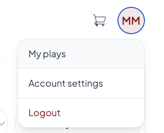
- Click Plays or My Plays, depending on the site you are using.
- Your available plays will appear in your members area.
Plays are only available on the site where the applicable purchase was made.
Plays can be sorted by purchased plays, capper, play rating, sport, as well as most recent and furthest
Receiving Plays by Email
Email delivery may be affected by email service providers and their filtering and delivery rules.
An email may be:
- Delivered later than expected
- Sent to a spam, junk, promotions, or other filtered folders
- Blocked or filtered by your email provider
- Affected by mailbox settings or storage limits
- Prevented from reaching your inbox for reasons outside our control
Because of these factors, email delivery is a best effort and can not be guaranteed.
You can update your email preferences from your account settings.
- You must opt in to receive service-related play notifications by email.
- Plays can only be sent to one email address.
- Email delivery cannot be guaranteed because email providers may filter or block messages.
- Always check Plays or My Plays in your account to make sure you do not miss a release.
- Plays released before your purchase may not be sent by email. After purchasing, check your account for any plays that were already released.
If you’ve determined our email(s) have gone to a spam folder, please follow the steps listed here How can I improve email delivery? Once you have completed the steps listed reach out to our support team and inform them. You may need to be removed from a suppression list
Applicable brands: WagerTalk(Plays), Picks and Parlays, Winners and Whiners, StatSalt and Sportsmemo Marketplace(My Plays)